
XV95 Ghostkeel Battlesuit Magnetization Guide
If you’ve ever wanted to swap between weapon loadouts without buying or painting a whole new kit, this tutorial will show you exactly how to do it. We’ll go step-by-step and nice and easy to make the Ghostkeel’s weapon options fully interchangeable.
So grab your hobby tools, grab your magnets, and let’s get started!
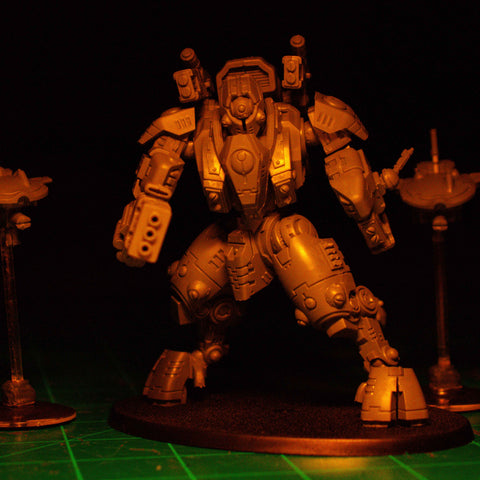

Magnets Needed: Left Arm Guns
3pcs 3mm x 2mm
For the left arm of the Ghostkeel Battlesuit, I applied a drop of paint onto the fist and weapons, finding where my parts are flush with each other. I drilled a pilot hole in the Ghostkeel Fist with a 1mm drill bit, slowly widening it to 3mm. Using the red side of my Magnicator, I pushed my first 3 x 2 magnet into the hole. On both the Fusion Collider and the Cyclic Ion Raker, I did the same thing, drilling where the two 3 x 2 magnets would best fit to the fist.


Magnets Needed: Torso Weapons
8pcs 1.5mm x 1mm
Now, let's move on to the torso weapons. I assembled all of the weapon options and did the same paint method. Seeing that the spot just to the side of the block that goes into the weapon mount, I drilled a 1.5 mm hole into it. I repeated this same step on all of the weapon options, drilling into them with a 1.5 mm drill bit just to the side of the block.

I inserted 1.5 x 1 magnets into the holes. Whenever I use my Magnicator, I make sure that my weapons are to my blue color and the main body is to my red color. This makes it easier for me to remember.

Magnets Needed: Drones & Flight Stand
6pcs 3mm x 2mm
2pcs 2mm x 2mm
2pcs 32mm Self-Adhesive Base

For the drones, I used our Extra Small Flat Medium Flight Stand Kit, which you can find on our website, and assembled it. Using the bases that come with the Ghostkeel Drones, I put the 32mm self-adhesive magnetic base on the bottom for easy carrying. On the flight stand, I used 2 of the 3 x 2 magnets along with the magnet guide included in the kit. I made sure my magnet was on the red side of my Magnicator before inserting and gluing the rod. I pulled it out and repeated the process for the other side, using the same color on my Magnicator.

After attaching magnets on both sides of the flight stand, I glued a 3 x 2 magnet into the rock. Before gluing, I sanded my magnet down for a better grip on the glue. This setup allows the flight stand to be swapped easily for transport or different loadouts. I also sanded the underside of the tactical rock so the super glue would have a better grip on it and glued it to the clear base.

Underneath the drone, there is a small 2mm hole that fits a 2 x 2 magnet. After gluing it in, I can now take off my drones if needed.
Before I’m done, I’m going to put a 4.5 x 2.6 basing magnet on our base. And with that, it is done.